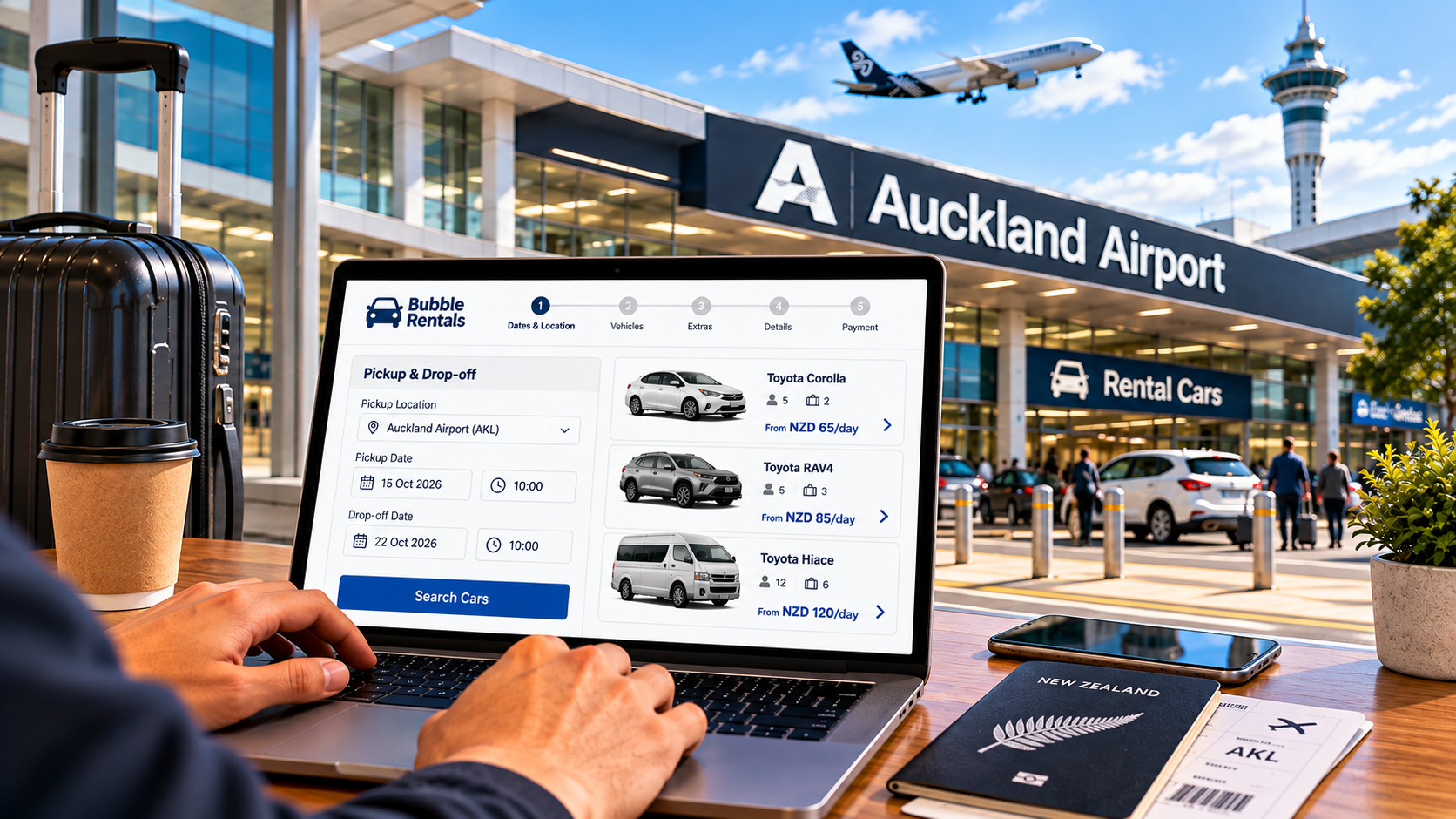
Booking a rental car for Auckland Airport comes down to seven steps: confirm you meet the licence and age requirements, decide your pickup and drop-off details, compare vehicles on total price rather than just the daily rate, fill in your personal and flight details, choose any extras you actually need, review the full price before confirming, then check your confirmation email against your travel plans. The entire process typically takes under ten minutes once you know what you're looking for.
Booking a rental car sounds simple until you're staring at a form asking for a flight number you haven't booked yet, an excess amount you don't understand, and three different insurance options with names that all sound the same. None of it is actually complicated once you know what each piece means and why it's being asked. This walkthrough breaks the actual booking process down into plain steps, so you know exactly what to have ready and what each decision along the way actually affects, before you ever reach the final payment screen. Ready to book? You can start directly on Bubble Rentals, where the full process above takes just a few minutes from start to finish.
Before You Start: What You'll Need to Book
A few requirements apply before you even get to choosing a car, and it's worth confirming these first rather than discovering a problem halfway through a booking form.

Your Driver's Licence
You'll need a current, valid driver's licence for the entire length of your rental. If your licence isn't printed in English, you'll also need an International Driving Permit or an accepted translation alongside it. Our guide to international driving permits covers exactly when this applies and how to arrange one before you travel, since it can't be sorted out after you've landed.
Minimum Age and Licence Holding Period
Most rental companies set a minimum driver age, commonly 21, and may require your licence to have been held for a minimum period, often one year. These requirements vary by provider and sometimes by vehicle category, so check the specific terms for the company and vehicle you're booking rather than assuming a standard figure applies everywhere, since a mismatch discovered at the counter is far more disruptive than one caught during booking.
Step 1: Decide What You Actually Need
Before comparing a single vehicle, nail down the basics of your trip, since these details shape every option you're shown afterward.
- Your pickup date and time, matched to your actual flight arrival rather than a rounded estimate.
- Your drop-off date and location, which may be the same airport or a different city if you're planning a one-way trip.
- How many people and how much luggage you're travelling with, since this determines vehicle size more than anything else.
- Whether your trip includes rural or unsealed roads, which can influence which vehicle category makes sense.
Having these answered before you start comparing options saves you from re-entering the same search three times with small adjustments, and gives you a clear picture to compare every subsequent vehicle option against.
Step 2: Compare Vehicle Options and Total Price
This is where most of the actual decision-making happens, and it's also where a low headline price can be misleading if you don't look past it.
Comparing by Total Cost, Not Daily Rate
A lower daily rate isn't automatically the better deal once fees, insurance and included kilometres are factored in. Two similarly priced vehicles can end up costing noticeably different amounts once everything is added up, so compare the full quoted total for your actual trip length rather than the per-day figure alone. A booking that looks cheapest on the search results page isn't always the one that still looks cheapest once every line item is accounted for.
Choosing a Vehicle Type
Our vehicle range covers what's typically available, from compact cars suited to city driving and short trips to larger options for families or longer road trips. If fuel cost over a longer trip matters to you, our hybrid vehicle guide explains how much a more efficient vehicle can realistically save across a multi-day itinerary.
Step 3: Fill In Your Booking Details
Once you've chosen a vehicle, the booking form itself asks for a specific, predictable set of information.
| Information Needed | Why It's Asked |
|---|---|
| Full name, as it appears on your licence | Matches your booking to the licence you'll present at pickup |
| Contact email and phone number | Sends your confirmation and allows contact if plans change |
| Driver's licence details | Confirms you meet the licence requirements for the vehicle |
| Flight number | Lets the rental company or shuttle track your actual arrival time |
| Payment card details | Secures the booking and covers the rental cost |
Why Your Flight Number Actually Matters
Entering your flight number isn't just a formality. It allows a rental company offering an airport shuttle to track your actual landing time rather than the time originally scheduled, which matters if your flight is delayed and you'd otherwise be left waiting on an outdated pickup time. Our Auckland Airport shuttle guide explains how this pickup coordination works once you've landed.
Step 4: Choose Your Extras
Most bookings offer a set of optional extras at this stage, and it's worth understanding what each one actually does before adding or skipping it.
Insurance and Excess Cover
The excess is the amount you'd be responsible for if the vehicle were damaged during your rental. Some bookings include a standard excess by default, with an option to reduce it further for an additional daily cost. Whether this is worth adding depends on your own risk tolerance and whether you have separate travel insurance that might already cover it, which is worth checking before you pay twice for the same protection.
Additional Driver, GPS and Child Seats
- An additional driver option lets someone else legally share the driving, usually for a small added cost per day.
- A GPS unit can be useful if you'd rather not rely entirely on a phone for navigation, particularly in areas with patchy mobile coverage.
- Child seats are typically available to add during booking rather than something you need to bring yourself, worth confirming the correct seat type for your child's age and size.
Only add what you'll genuinely use. Extras are easy to tick without thinking and just as easy to skip if you take a moment to consider whether you actually need them, and reviewing the list once more before the final confirmation screen is a habit worth building into every booking.
Step 5: Review the Total Price Before You Confirm
Before you commit, this is the point to slow down and check exactly what you're paying for.
- Confirm whether a bond is required and, if so, how much and when it's held or released. Some providers, ours included, don't require one at all.
- Check whether tolls and any applicable road user charges are included or billed separately, since these depend on your route and vehicle fuel type. Our guides to toll roads and road user charges cover how each of these works if your vehicle or route involves them.
- Look for a kilometre limit on your booking, and confirm it comfortably covers your planned route.
- Read what's included as standard versus what counts as an extra, since this is where quoted prices between providers can look similar but differ once everything is accounted for.
Our page on transparent rental pricing walks through exactly how this breaks down for a typical booking, so you know what to expect before you reach this step.
Booking a One-Way or Multi-City Rental
Not every trip starts and ends at the same place, and this changes a couple of things about the booking process itself.

- Specify your drop-off location clearly as a different city or airport from your pickup, rather than assuming the system will infer it from your itinerary, since a default return-to-same-location setting is common and easy to miss.
- One-way rentals sometimes carry an additional relocation fee, since the vehicle needs to be returned to its original location by the provider. Check for this specifically before confirming, since it can meaningfully change the total cost.
- Not every vehicle category is necessarily available for one-way hire, so confirm your preferred vehicle supports this before building the rest of your trip around it.
If your plans are genuinely open-ended, booking a return trip to the same location and adjusting later is sometimes simpler than locking in a one-way route too far in advance, especially if your itinerary could still shift between now and departure.
Booking During Peak Season
When you book matters almost as much as how you book, particularly around New Zealand's busiest travel periods.
- Summer, from December through February, along with major public holidays, sees the highest demand and the least flexibility on vehicle availability.
- Booking several weeks ahead during these periods secures meaningfully better choice and pricing than waiting until closer to your travel date.
- Outside peak season, last-minute bookings are usually still workable, with more flexibility on vehicle type and pickup time.
- If your travel dates are fixed and fall during a busy period, prioritise booking your vehicle early even if other parts of your itinerary are still being finalised, since vehicle availability tends to tighten faster than accommodation does over the same stretch of weeks.
Step 6: Payment and Confirmation
Once you confirm, you'll typically receive a confirmation email within minutes, and it's worth actually reading it rather than filing it away unopened.
- Check that your pickup and drop-off dates, times and locations match what you intended to book.
- Confirm your vehicle category matches what you selected, since availability can occasionally shift a specific model while keeping the category the same.
- Save a copy of your confirmation, either printed or easily accessible on your phone, for pickup day, since relying on an email you might not be able to reload without signal isn't a great backup plan.
- Note any pickup instructions specific to the airport, since these can differ from a city pickup location.
Step 7: What to Do Between Booking and Pickup Day
The booking itself is only the first part. A little preparation between now and your flight makes pickup day considerably smoother, and most of it takes only a few minutes to sort out well ahead of time.
- If your licence isn't in English, confirm your International Driving Permit or translation is sorted well before you fly, not on the plane.
- Review New Zealand's driving rules in advance if it's your first time here, particularly if you're also adjusting to driving on the left, so none of it feels unfamiliar the moment you pull out of the rental yard.
- Double check your flight details in your booking match your actual itinerary, especially if your flight has changed since you first booked.
- Keep your payment card and licence easily accessible in your carry-on rather than packed away, since you'll need both at pickup.
Our complete driving rules guide is worth a read before you land, and our Auckland Airport pickup guide covers exactly what to expect once you're through the terminal.
Common Mistakes People Make When Booking

A handful of avoidable errors account for most of the frustration visitors run into after booking, and every one of them is easy to prevent once you know to look out for it.
- Entering an estimated flight time instead of the actual confirmed flight number, which can throw off shuttle coordination and leave a driver waiting at the wrong moment.
- Assuming a quoted daily rate is the full cost without checking what's included and what's billed separately.
- Skipping the licence and age requirements check until arriving at the counter, rather than confirming eligibility before booking.
- Adding every optional extra without considering whether it's actually needed for the specific trip.
- Not saving or printing the confirmation, leading to a scramble for details at the pickup desk.
A Short Checklist Before You Book
- Confirm your licence, age and any IDP requirements before you start.
- Have your flight number, dates and passenger count ready before comparing vehicles.
- Compare total trip cost, not just the daily rate shown first.
- Only add extras you'll genuinely use.
- Review the full price breakdown before confirming payment.
- Save your confirmation email somewhere you can find it on pickup day.
Frequently Asked Questions
How far in advance should I book a rental car for Auckland Airport?
Booking a few weeks ahead generally secures better vehicle availability and pricing, particularly during busy travel periods, though last-minute bookings are usually still possible outside peak season.
Do I need my flight number to book a rental car?
It's not always required to complete a booking, but providing it allows a rental company offering an airport shuttle to track your actual landing time, which matters if your flight is delayed.
What documents do I need when booking online?
At the booking stage, you typically only need your licence details and payment information. Physical documents like your licence, passport and any IDP are presented at pickup, not uploaded during booking.
Can I change my booking after I've confirmed it?
Most providers allow changes to dates, vehicle category or extras after booking, though policies vary, so check the specific terms for your booking or contact the provider directly if your plans shift before pickup day.
Is a bond always required when booking a rental car in New Zealand?
No. Requirements vary by provider, and some, including us, don't require one at all. Always check this specifically before you book if it matters to your budgeting.
What happens if I booked the wrong vehicle size?
Contact the rental provider as early as possible before pickup. Many can adjust your booking to a different category, subject to availability, though changes closer to pickup day are less guaranteed.
Does a one-way rental cost more than a return booking?
Often yes, since the provider typically needs to relocate the vehicle back to its original pickup point. Check for a one-way or relocation fee specifically before confirming a booking that starts and ends in different cities.
Is it cheaper to book an Auckland Airport rental car well in advance?
Generally yes, particularly during summer and public holidays, when both pricing and vehicle availability tighten considerably the closer you get to your travel date.
Ready to book? You can start directly on Bubble Rentals, where the full process above takes just a few minutes from start to finish.